How to Perform a PPSR Search
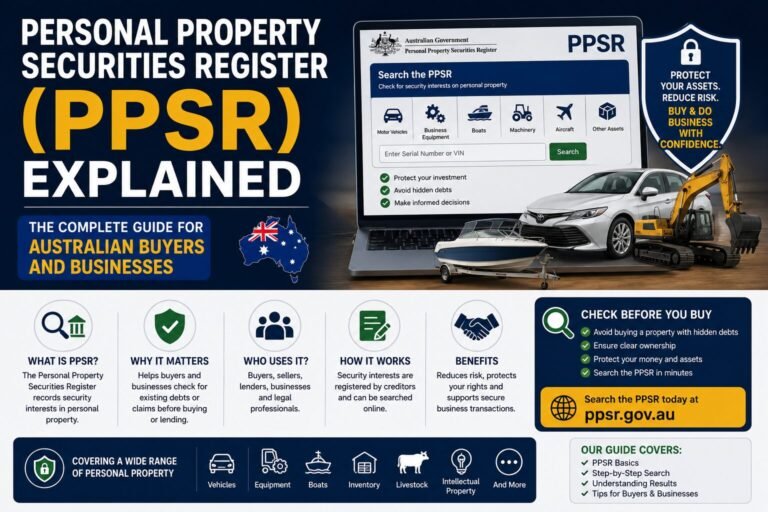
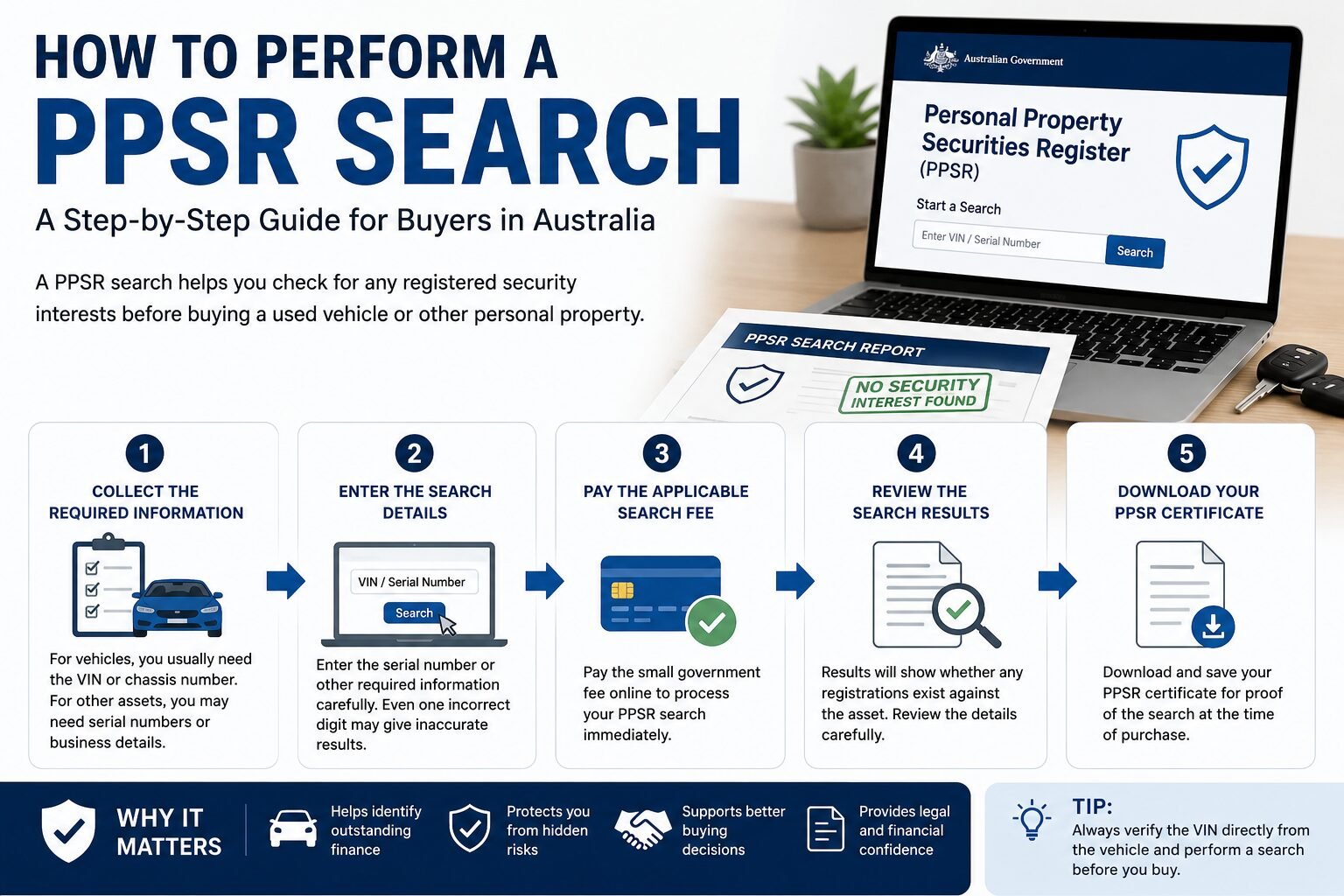
Conducting a PPSR search is a simple process, but using the correct details is essential to receive accurate results. Before purchasing a used vehicle or valuable personal property, take a few minutes to complete a search and review the results carefully.
Table of Contents
Step 1: Collect the Required Information
The information you need depends on the type of property you’re searching.
For motor vehicles, you usually need:
- Vehicle Identification Number (VIN)
- Chassis Number (if applicable)
- Registration Number (only where supported)
For other assets, you may need:
- Serial Number
- Grantor Details
- Organisation Details
- ACN or ABN (for business searches)
Always verify the VIN directly from the vehicle rather than relying only on advertisements or handwritten documents.
Step 2: Enter the Search Details
Enter the serial number or other required information into the search form.
Double-check every character before submitting the search because even one incorrect digit may produce inaccurate results.
Step 3: Pay the Applicable Search Fee
Some PPSR searches require a small government fee.
After payment is completed, the system processes the request almost immediately.
Step 4: Review the Search Results
The search results indicate whether any registrations exist against the asset.
If no current registrations are found, the report generally indicates that no security interests are currently registered against that serial number.
If registrations are found, additional details will be displayed for review.
Step 5: Download Your PPSR Certificate
After completing the search, download and save the certificate.
Keeping a copy provides evidence of the search results at the time of purchase and may be useful if questions arise later.
How to Read PPSR Search Results
Many first-time buyers are unsure how to interpret a PPSR certificate. Understanding the report helps you decide whether to continue with the purchase or ask the seller for additional information.
A typical PPSR certificate contains the following sections.
Search Details
This section includes:
- Search reference number
- Search date
- Search time
- Search type
- Serial number searched
These details confirm what information was searched and when.
Registration Status
The certificate will indicate whether registrations currently exist.
Possible outcomes include:
- No current registrations found
- One current registration
- Multiple current registrations
- Discharged registration
- Expired registration
Current registrations deserve further investigation before purchasing the asset.
Collateral Information
This section identifies the type of property.
Examples include:
- Motor vehicle
- Watercraft
- Aircraft
- Agricultural equipment
- Inventory
- Commercial property
- Intellectual property
The collateral description should match the asset being purchased.
Registration Details
Each registration usually contains:
- Registration number
- Registration start date
- Registration expiry date
- Registration duration
- Collateral class
- Registration type
Review these details carefully to understand the nature of the registered interest.
Secured Party Information
The report identifies the organisation or lender that registered the security interest.
Examples may include:
- Banks
- Finance companies
- Leasing companies
- Businesses
- Credit providers
If you’re purchasing a financed vehicle, ask the seller to provide evidence that the finance has been paid before completing the transaction.
What Does “No Security Interest Recorded” Mean?
One of the most common PPSR results is that no current security interest has been recorded against the searched serial number.
Generally, this means that the register does not show an active registration at the time of the search.
However, it does not guarantee:
- Legal ownership
- Good mechanical condition
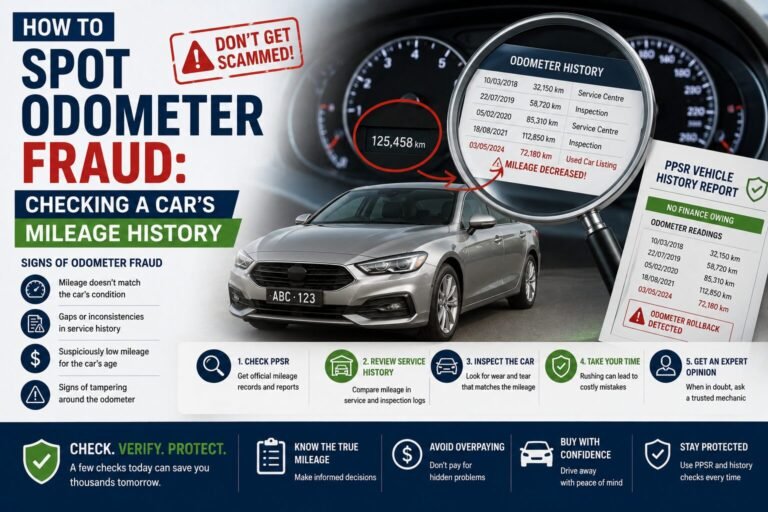
- Genuine kilometres
- No accident history
- No registration issues
A PPSR search should always be combined with other checks before purchasing a used vehicle.
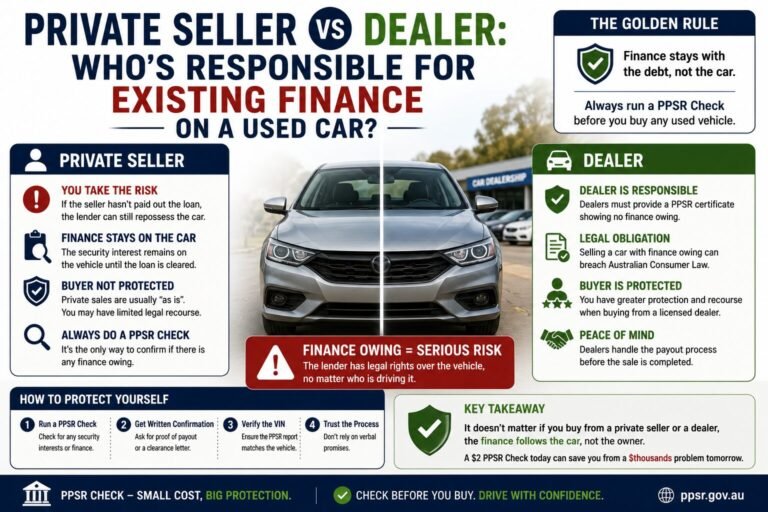
What Happens If a Security Interest Exists?
Finding a security interest does not automatically mean you should avoid buying the vehicle.
Instead, you should investigate further.
Ask the seller:
- Is the finance already paid?
- Has the lender removed the registration?
- Can proof of discharge be provided?
- Will the finance be cleared before settlement?
Never assume the registration is no longer valid without supporting evidence.
Why Buyers Should Never Skip a PPSR Check
Many people skip a PPSR search to save a small amount of money, only to discover expensive problems later.
Possible risks include:
- Outstanding finance
- Ownership disputes
- Difficulty selling the vehicle
- Delays transferring ownership
- Unexpected legal complications
A simple search can significantly reduce these risks.
PPSR Search vs VIN Check
Many people think these are the same thing, but they serve different purposes.
| PPSR Search | VIN Check |
| Shows registered security interests | Identifies vehicle specifications |
| May reveal finance obligations | Confirms manufacturer information |
| Can indicate certain official records | Verifies VIN validity |
| Used before purchasing | Used for identification |
For the best protection, buyers often perform both checks before purchasing a vehicle.
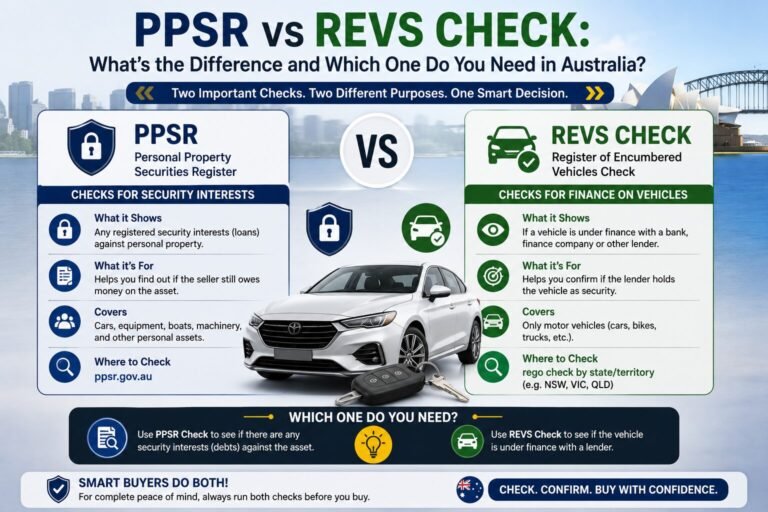
PPSR Search vs REVS Check
Although people still search for “REVS Check,” Australia now uses the PPSR.
| REVS Check | PPSR |
| Older state-based system | National register |
| Limited coverage | Australia-wide coverage |
| Replaced by PPSR | Current official system |
| Different rules by state | Standardised national rules |
Today, the PPSR is the primary system used to search for security interests in personal property across Australia.
Common Mistakes When Using PPSR
Avoid these common errors when performing a PPSR search.
Using the Wrong VIN
Entering an incorrect VIN may produce misleading results.
Always verify the VIN directly from the vehicle.
Searching Too Early
If you’re purchasing a vehicle days or weeks later, perform another search shortly before finalising the purchase to ensure nothing has changed.
Ignoring Current Registrations
Never ignore an active registration without understanding why it exists.
Ask questions and request supporting documentation before proceeding.
Assuming PPSR Confirms Ownership
The PPSR records security interests not ownership.
Ownership should be verified using the appropriate registration documents and supporting records.
Forgetting Other Vehicle Checks
A PPSR search does not replace:
- Mechanical inspections
- Service history checks
- Roadworthy inspections
- Accident history checks
- Test drives
Using multiple checks provides greater confidence when purchasing a used vehicle.
Who Should Perform a PPSR Search?
A PPSR search is recommended for:
- Private car buyers
- Used car dealers
- Fleet operators
- Finance companies
- Banks
- Small businesses
- Farmers
- Equipment buyers
- Construction companies
- Transport businesses
- Lawyers
- Accountants
- Insolvency practitioners
Anyone purchasing valuable personal property can benefit from reviewing PPSR information before completing the transaction.
How Often Should Businesses Use PPSR?
Businesses that regularly buy, sell, lease, or finance personal property should incorporate PPSR searches into their standard due diligence process.
Regular searches can help:
- Reduce financial risk
- Verify commercial transactions
- Protect business assets
- Support lending decisions
- Improve compliance
For organisations managing large fleets or equipment inventories, consistent PPSR checks form an important part of risk management.Conducting a PPSR search is a simple process, but using the correct details is essential to receive accurate results. Before purchasing a used vehicle or valuable personal property, take a few minutes to complete a search and review the results carefully.
Step 1: Collect the Required Information
The information you need depends on the type of property you’re searching.
For motor vehicles, you usually need:
- Vehicle Identification Number (VIN)
- Chassis Number (if applicable)
- Registration Number (only where supported)
For other assets, you may need:
- Serial Number
- Grantor Details
- Organisation Details
- ACN or ABN (for business searches)
Always verify the VIN directly from the vehicle rather than relying only on advertisements or handwritten documents.
Step 2: Enter the Search Details
Enter the serial number or other required information into the search form.
Double-check every character before submitting the search because even one incorrect digit may produce inaccurate results.
Step 3: Pay the Applicable Search Fee
Some PPSR searches require a small government fee.
After payment is completed, the system processes the request almost immediately.
Step 4: Review the Search Results
The search results indicate whether any registrations exist against the asset.
If no current registrations are found, the report generally indicates that no security interests are currently registered against that serial number.
If registrations are found, additional details will be displayed for review.
Step 5: Download Your PPSR Certificate
After completing the search, download and save the certificate.
Keeping a copy provides evidence of the search results at the time of purchase and may be useful if questions arise later.
How to Read PPSR Search Results
Many first-time buyers are unsure how to interpret a PPSR certificate. Understanding the report helps you decide whether to continue with the purchase or ask the seller for additional information.
A typical PPSR certificate contains the following sections.
Search Details
This section includes:
- Search reference number
- Search date
- Search time
- Search type
- Serial number searched
These details confirm what information was searched and when.
Registration Status
The certificate will indicate whether registrations currently exist.
Possible outcomes include:
- No current registrations found
- One current registration
- Multiple current registrations
- Discharged registration
- Expired registration
Current registrations deserve further investigation before purchasing the asset.
Collateral Information
This section identifies the type of property.
Examples include:
- Motor vehicle
- Watercraft
- Aircraft
- Agricultural equipment
- Inventory
- Commercial property
- Intellectual property
The collateral description should match the asset being purchased.
Registration Details
Each registration usually contains:
- Registration number
- Registration start date
- Registration expiry date
- Registration duration
- Collateral class
- Registration type
Review these details carefully to understand the nature of the registered interest.
Secured Party Information
The report identifies the organisation or lender that registered the security interest.
Examples may include:
- Banks
- Finance companies
- Leasing companies
- Businesses
- Credit providers
If you’re purchasing a financed vehicle, ask the seller to provide evidence that the finance has been paid before completing the transaction.
What Does “No Security Interest Recorded” Mean?
One of the most common PPSR results is that no current security interest has been recorded against the searched serial number.
Generally, this means that the register does not show an active registration at the time of the search.
However, it does not guarantee:
- Legal ownership
- Good mechanical condition
- Genuine kilometres
- No accident history
- No registration issues
A PPSR search should always be combined with other checks before purchasing a used vehicle.
What Happens If a Security Interest Exists?
Finding a security interest does not automatically mean you should avoid buying the vehicle.
Instead, you should investigate further.
Ask the seller:
- Is the finance already paid?
- Has the lender removed the registration?
- Can proof of discharge be provided?
- Will the finance be cleared before settlement?
Never assume the registration is no longer valid without supporting evidence.
Why Buyers Should Never Skip a PPSR Check
Many people skip a PPSR search to save a small amount of money, only to discover expensive problems later.
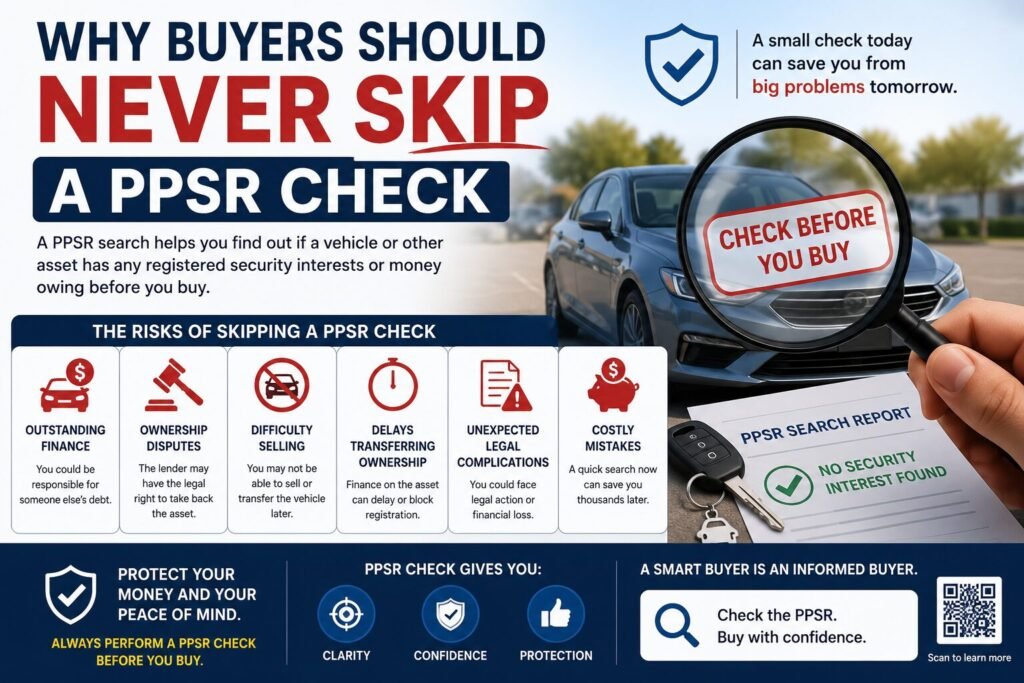
Possible risks include:
- Outstanding finance
- Ownership disputes
- Difficulty selling the vehicle
- Delays transferring ownership
- Unexpected legal complications
A simple search can significantly reduce these risks.
PPSR Search vs VIN Check
Many people think these are the same thing, but they serve different purposes.
| PPSR Search | VIN Check |
| Shows registered security interests | Identifies vehicle specifications |
| May reveal finance obligations | Confirms manufacturer information |
| Can indicate certain official records | Verifies VIN validity |
| Used before purchasing | Used for identification |
For the best protection, buyers often perform both checks before purchasing a vehicle.
PPSR Search vs REVS Check
Although people still search for “REVS Check,” Australia now uses the PPSR.
| REVS Check | PPSR |
| Older state-based system | National register |
| Limited coverage | Australia-wide coverage |
| Replaced by PPSR | Current official system |
| Different rules by state | Standardised national rules |
Today, the PPSR is the primary system used to search for security interests in personal property across Australia.
Common Mistakes When Using PPSR
Avoid these common errors when performing a PPSR search.
Using the Wrong VIN
Entering an incorrect VIN may produce misleading results.
Always verify the VIN directly from the vehicle.
Searching Too Early
If you’re purchasing a vehicle days or weeks later, perform another search shortly before finalising the purchase to ensure nothing has changed.
Ignoring Current Registrations
Never ignore an active registration without understanding why it exists.
Ask questions and request supporting documentation before proceeding.
Assuming PPSR Confirms Ownership
The PPSR records security interests not ownership.
Ownership should be verified using the appropriate registration documents and supporting records.
Forgetting Other Vehicle Checks
A PPSR search does not replace:
- Mechanical inspections
- Service history checks
- Roadworthy inspections
- Accident history checks
- Test drives
Using multiple checks provides greater confidence when purchasing a used vehicle.
Who Should Perform a PPSR Search?
A PPSR search is recommended for:
- Private car buyers
- Used car dealers
- Fleet operators
- Finance companies
- Banks
- Small businesses
- Farmers
- Equipment buyers
- Construction companies
- Transport businesses
- Lawyers
- Accountants
- Insolvency practitioners
Anyone purchasing valuable personal property can benefit from reviewing PPSR information before completing the transaction.
How Often Should Businesses Use PPSR?
Businesses that regularly buy, sell, lease, or finance personal property should incorporate PPSR searches into their standard due diligence process.
Regular searches can help:
- Reduce financial risk
- Verify commercial transactions
- Protect business assets
- Support lending decisions
- Improve compliance
For organisations managing large fleets or equipment inventories, consistent PPSR checks form an important part of risk management.
Conclusion
Performing a PPSR search is a quick and effective way to identify registered security interests before buying personal property. By reviewing the results carefully and combining them with other vehicle checks, you can make safer purchasing decisions and reduce financial risk.